Employee management

Employee Management Software for Growing Teams

Keep every employee profile, role, department, and document in one organized system, the People & HR layer of the CrewForge ERP for software companies.

No credit card. Free up to 10 employees.

01

One source of truth for your people

CrewForge gives you a single, structured place to manage your whole team. Profiles, reporting lines, departments, and access are always up to date and easy to find.

  • Centralized employee profiles with documents and key details
  • Departments, roles, and reporting structure
  • Onboarding and offboarding workflows
  • Permissions and role-based access control
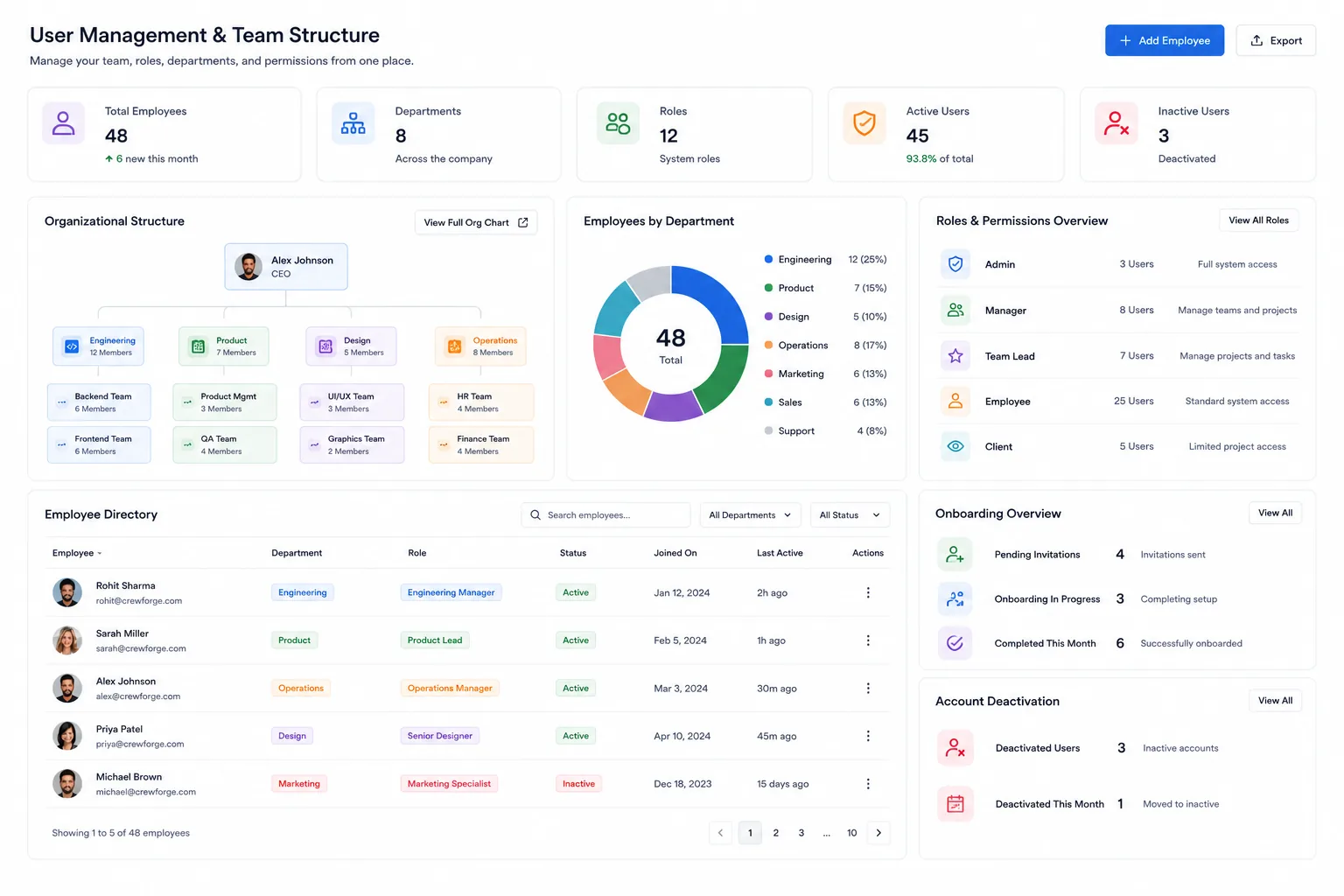
User management in CrewForge: organizational structure, departments, roles and permissions, and the employee directory
02

Onboarding and offboarding, handled properly

New hires complete their own details through a time-limited onboarding link, and an admin authorizes login separately. When someone leaves, a structured exit workflow records the checklist, who initiated, and who approved.

  • Self-service onboarding links: invitees fill in their own profile
  • Login stays blocked until an admin authorizes the account
  • Exit workflow with checklist: assets, exit interview, feedback
  • Dual sign-off audit trail on every offboarding

Onboarding and offboarding, handled properly in CrewForge

feature-employee-management-2 · 1600×1000

03

Built to stay simple as you grow

Most HR tools get heavier the bigger you get. CrewForge keeps employee management fast and clear from your first hire to your hundredth, so admins spend less time on data entry.

  • Fast onboarding with no long implementation
  • Clean, searchable team directory
  • Account deactivation when people leave

Built to stay simple as you grow in CrewForge

feature-employee-management-3 · 1600×1000

Small things that matter

Details from daily use, built in because we run on them ourselves.

Sensitive-field gating

Bank details, identity numbers, and emergency contacts are visible only to users with the right permission.

Profile completeness bar

A live indicator shows how complete each profile is, so gaps get filled.

Org chart

Departments and positions nest to any depth and render as a visual organization chart.

Probation and notice periods

Tracked per employee and used by the exit workflow to calculate final days.

Per-employee timezone

Remote employees keep their own timezone on top of the company default.

Excel export

Export the directory, with your current search and filters applied.

Upcoming birthdays

A dashboard widget surfaces this month's birthdays for the team.

Announcements

Publish company announcements with a visibility window and an optional email to everyone.

Frequently asked questions

Is CrewForge employee management free?

Yes. CrewForge is free for up to 10 employees with full access to core features, including employee management. After that it is $1.99 per employee per month.

Can I control who sees what?

Yes. CrewForge uses role-based, least-privilege access so managers, HR, and employees each see only what they should.

Does it handle departments and reporting structure?

Yes. You can organize people into departments and roles and see your reporting structure, so the whole team directory stays clear as you grow.

Run your software company with CrewForge

People, projects, and clients in one system. Free for up to 10 employees.

No credit card. Free up to 10 employees. Or contact our team for a 15 minute walkthrough.