Mobile app ยท iOS & Android

CrewForge on Your Phone

Check in, log your work, apply for leave, and keep up with your team from anywhere. The same workspace as the web app, built for the moments you are away from your desk.

Free download. Included with every CrewForge workspace.
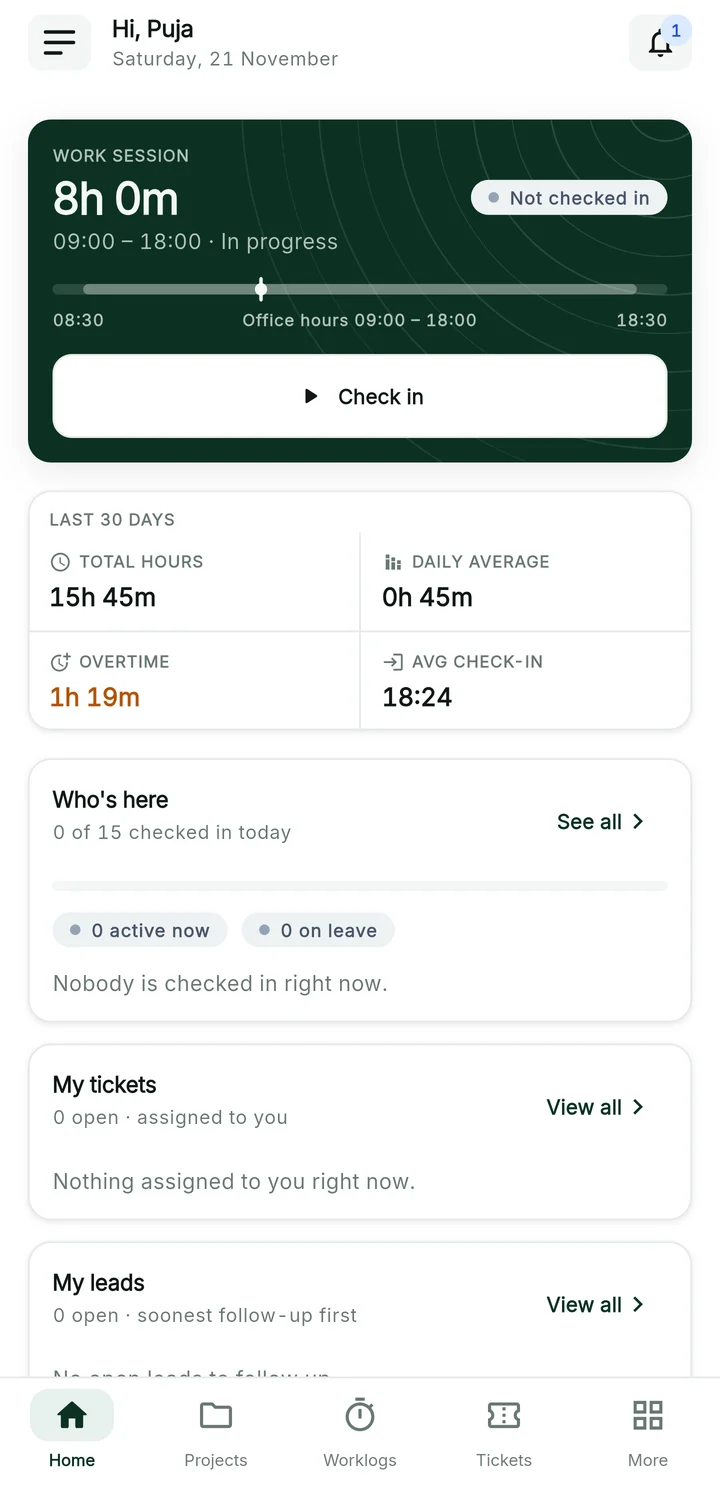
CrewForge mobile app home screen with the work session check-in and monthly hours
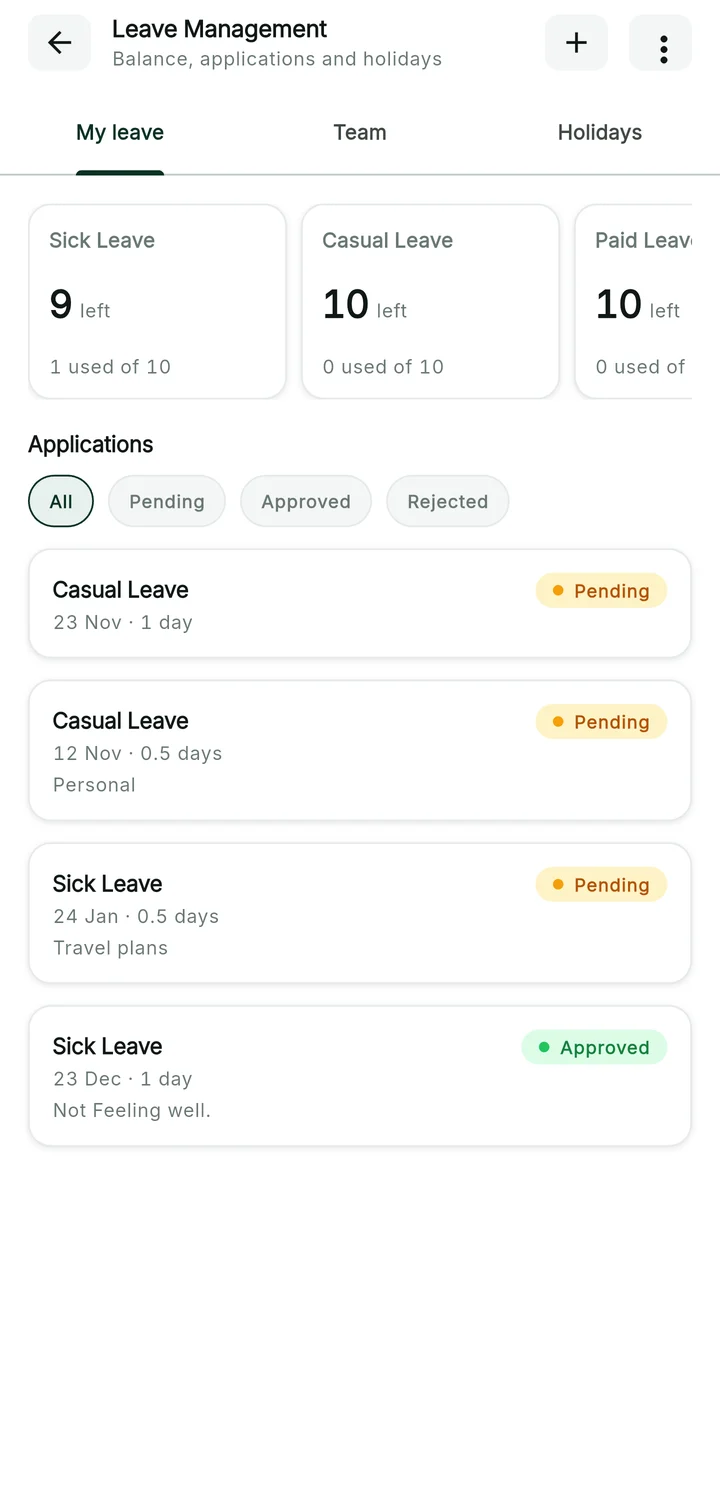
Leave balances and leave applications in the CrewForge mobile app
01

The Everyday Parts of Work, One Tap Away

The app covers what people do many times a day, so nobody has to open a laptop to mark attendance or ask for a day off.

CrewForge mobile app home screen with the work session check-in

Work sessions

Check in and out, see your hours against office time, and track overtime for the last 30 days.

Leave balances and applications in the CrewForge mobile app

Leave

Balances for every leave type, your applications and their status, and the holiday calendar.

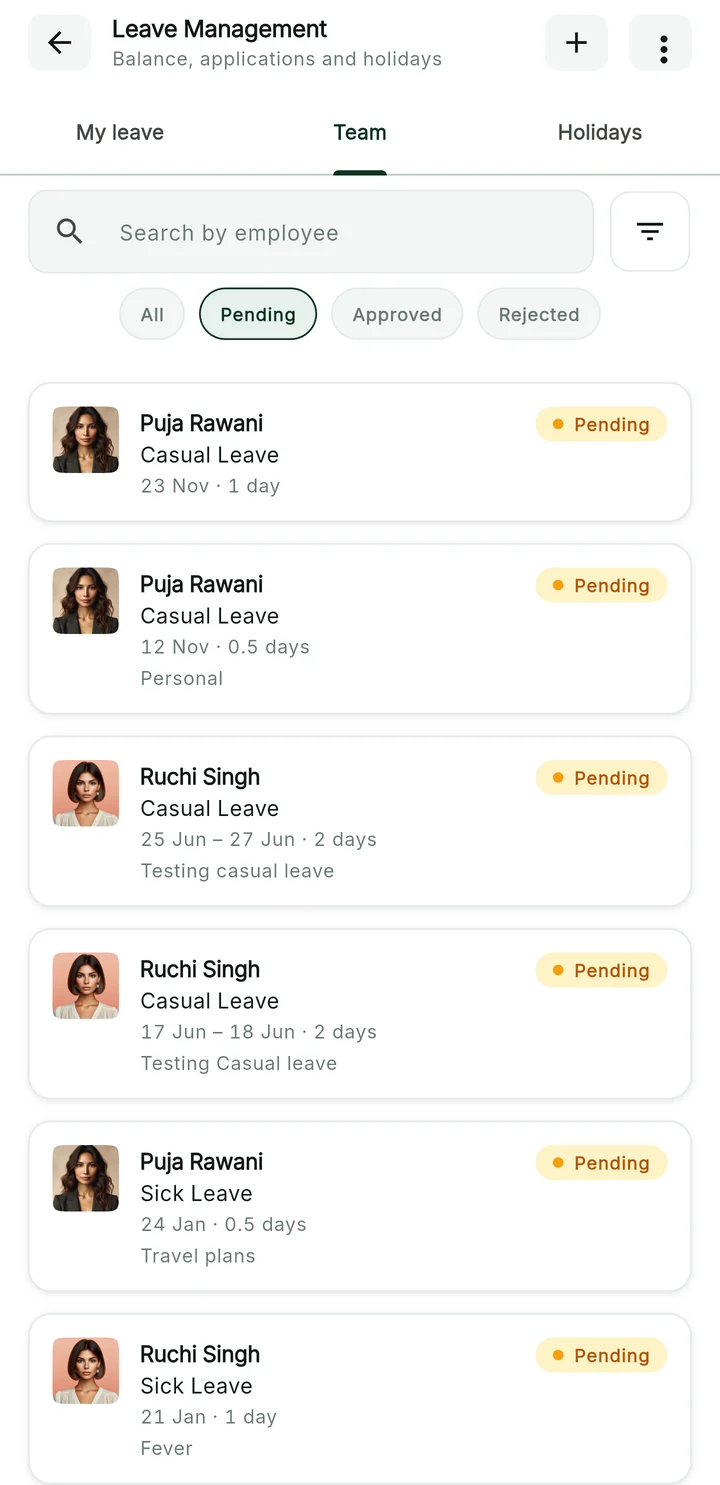
Pending team leave requests in the CrewForge mobile app

Approvals

Managers see pending requests from their team and act on them without waiting to be back at a desk.

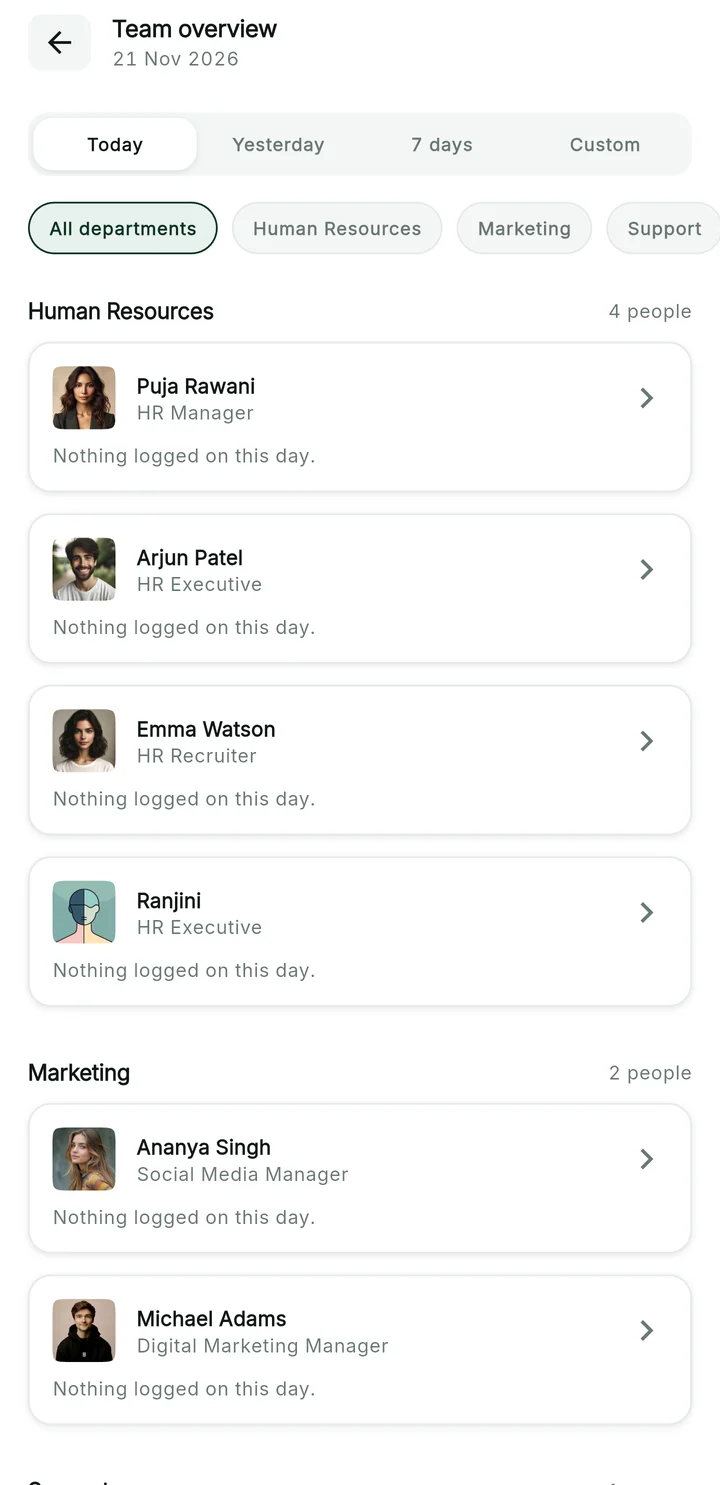
Team overview by department in the CrewForge mobile app

Team overview

Who worked on what, by department, for today, yesterday, or any range.

02

One Workspace, Web and Mobile

The app talks to the same workspace as the web app, with the same roles and permissions. Nothing to sync, nothing to set up twice.

Worklogs

Log what you worked on, review past days, and plan tomorrow.

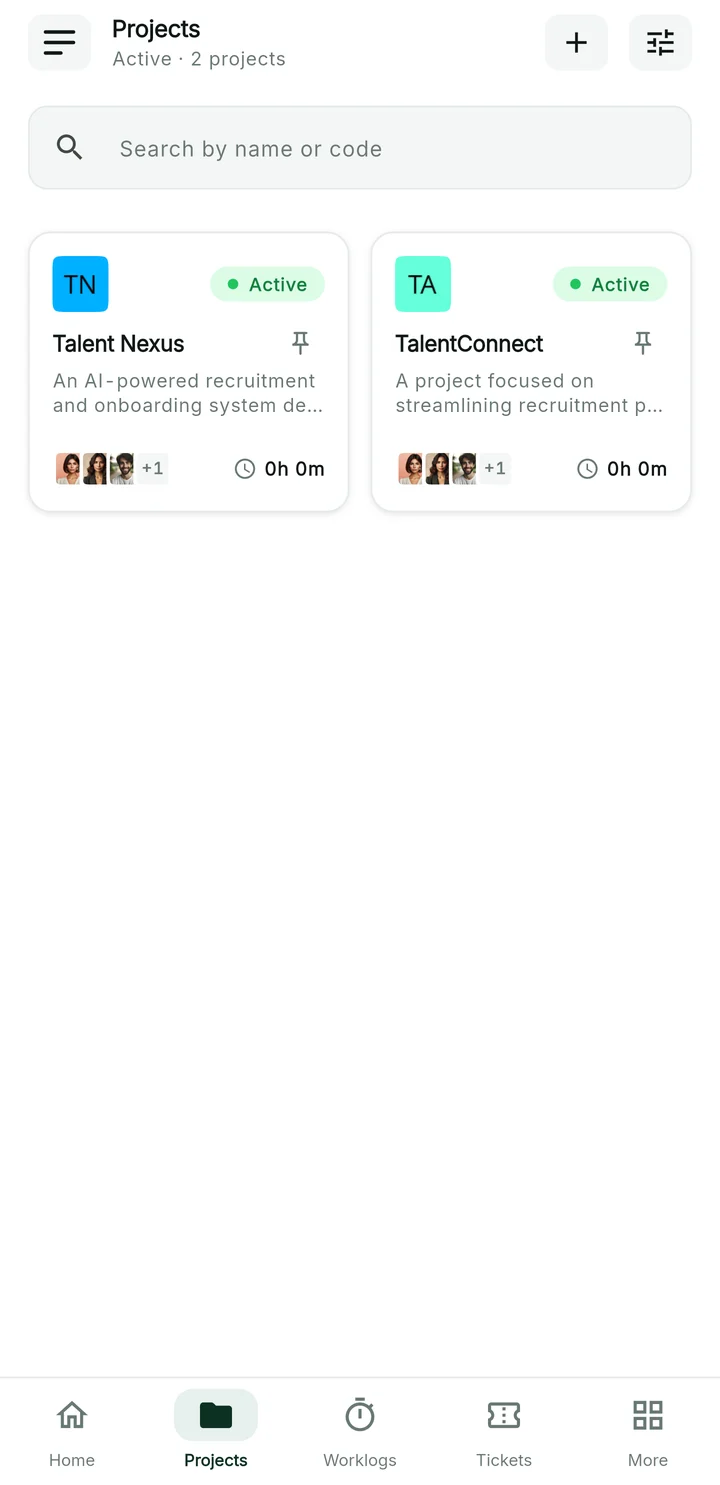
Projects

Your active projects, their teams, and tracked time.

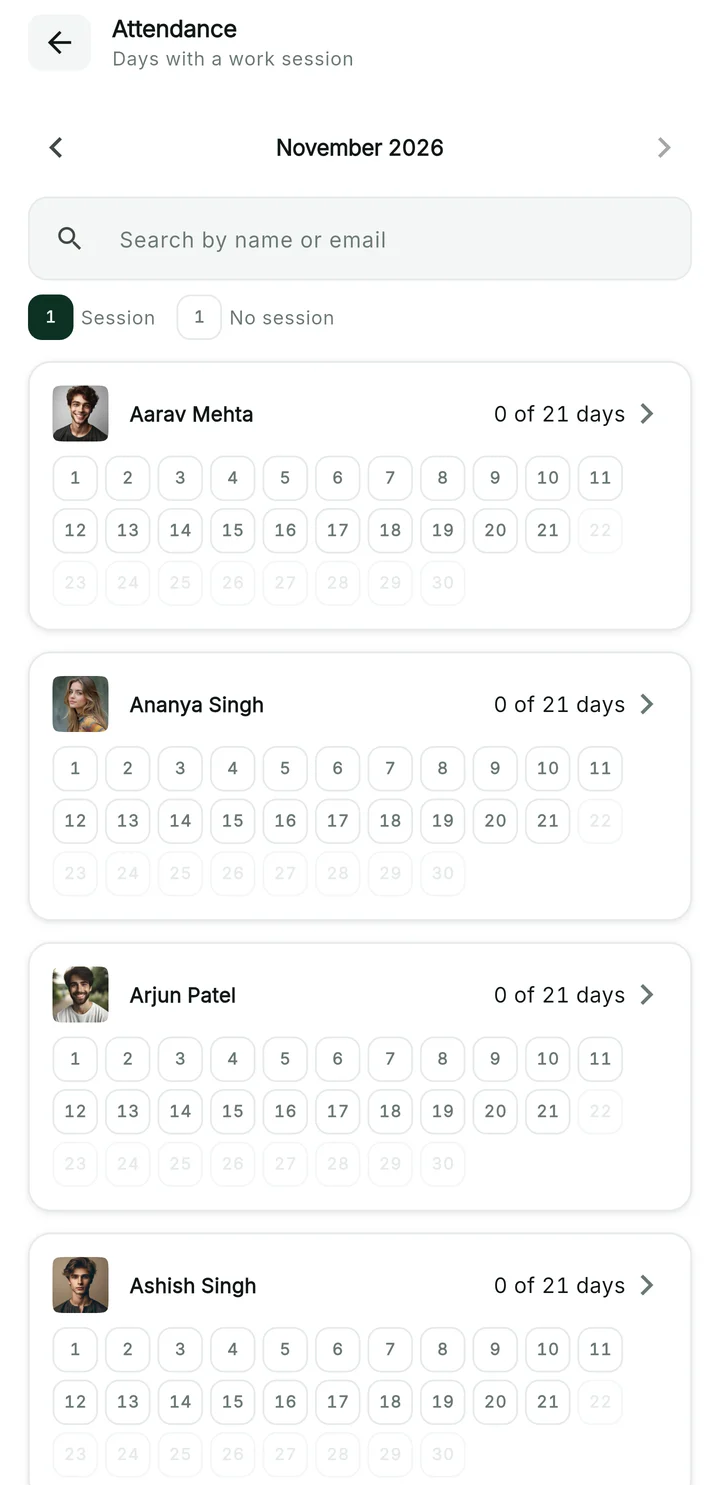
Attendance

A month-by-month view of days with a work session, per person.

Support tickets

Tickets assigned to you or opened by you, with their status.

CRM

Leads, follow-ups, and reminders, for teams that use the CRM module.

Reimbursements

Claim an expense you paid for, straight from your phone.

Payslips

Your monthly pay, available once payroll is finalized.

Performance

Your CrewScore and what moves it.

Active projects in the CrewForge mobile app
Monthly attendance by team member in the CrewForge mobile app

Get Started in a Minute

  1. 01

    Download the app

    Get CrewForge from the App Store or Google Play.

  2. 02

    Enter your Workspace ID

    It identifies your company's workspace and is shown in your CrewForge account on the web. Your admin can share it too.

  3. 03

    Sign in

    Use the same email and password as on the web app.

Questions

Is the CrewForge mobile app free?

Yes. The app is a free download and is included with every CrewForge workspace, including the free plan.

How do I sign in?

Enter your Workspace ID, then the same email and password you use on the web. Your Workspace ID is shown in your CrewForge account on the web, and your admin can share it with you.

Do I need a CrewForge workspace first?

Yes. The app is a companion to your company's CrewForge workspace. If your company is not on CrewForge yet, create a workspace on the web first, then sign in on your phone.

Which devices are supported?

iPhone, through the App Store, and Android phones, through Google Play.

Do I see the same data as on the web?

Yes. The app reads and writes to the same workspace, with the same roles and permissions, so what you can see and do matches your access on the web.

New to CrewForge? Start With the Workspace

Create your company's workspace on the web, invite your team, then everyone signs in on their phone. Free up to 10 employees.

No credit card. Free up to 10 employees. Or contact our team for a 15 minute walkthrough.